




A wedding planning WhatsApp group can hold inspiration, questions and vendor updates in the same stream. A shared decision log gives both partners a place to record which idea is approved, who can send it and whether the vendor acknowledged the current version.
An analysis updated by Indian planner Panigrahana on 15 November 2026 counted 34,660 messages across 105 couple planning groups from 6 August to 4 November. The median group exchanged 250 messages, with a middle half from 148 to 415. Qualifying groups had at least 50 messages. The count excludes calls, meetings and private chats.
Use a wedding planning WhatsApp group with a decision record
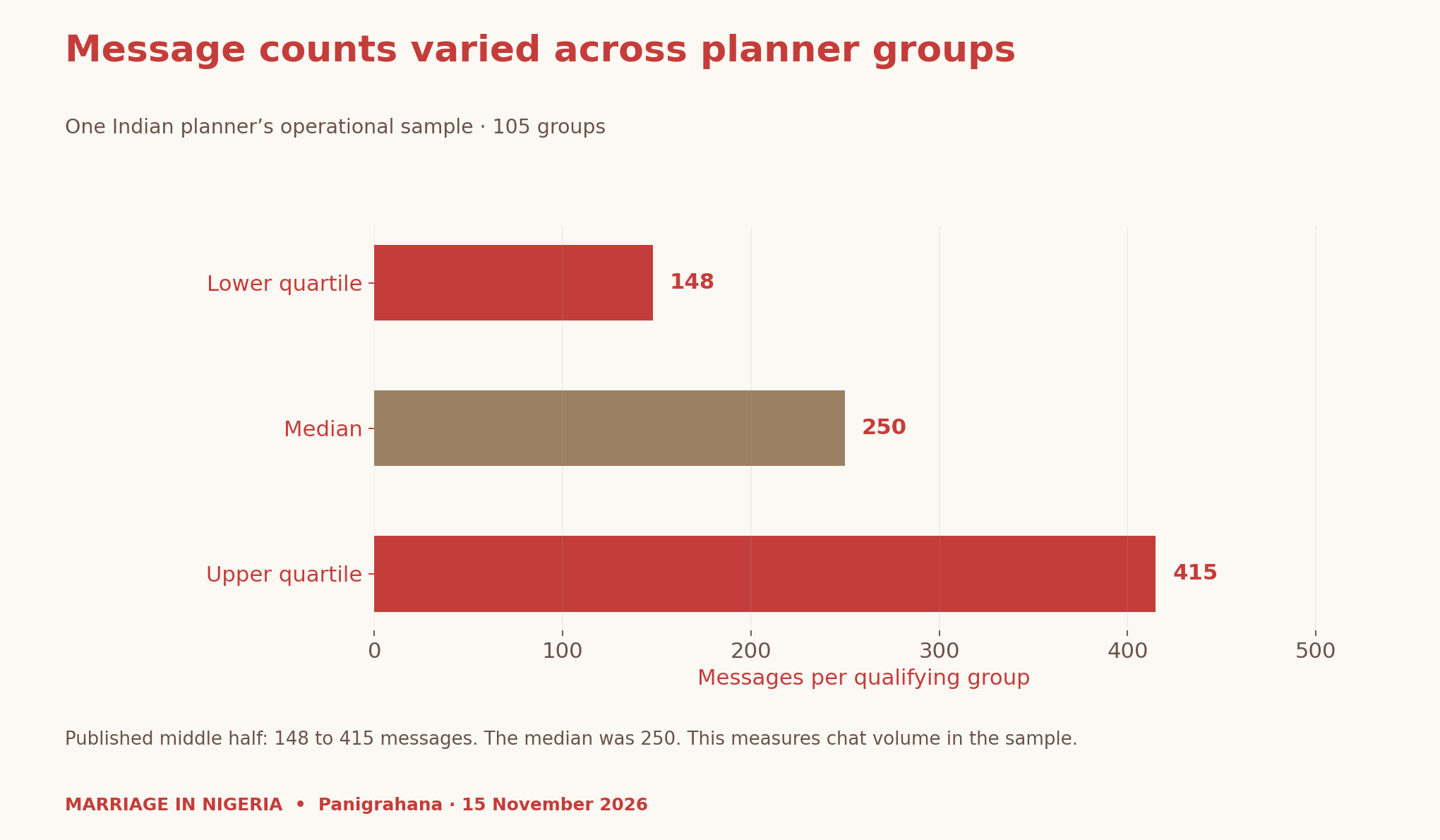
The data give context for a practical question: when a conversation gets long, can the couple and vendor identify the current decision? The register below is an original planning tool. Its purpose is to record what people agreed and what was sent. It has no measured effect on arguments or relationship satisfaction.
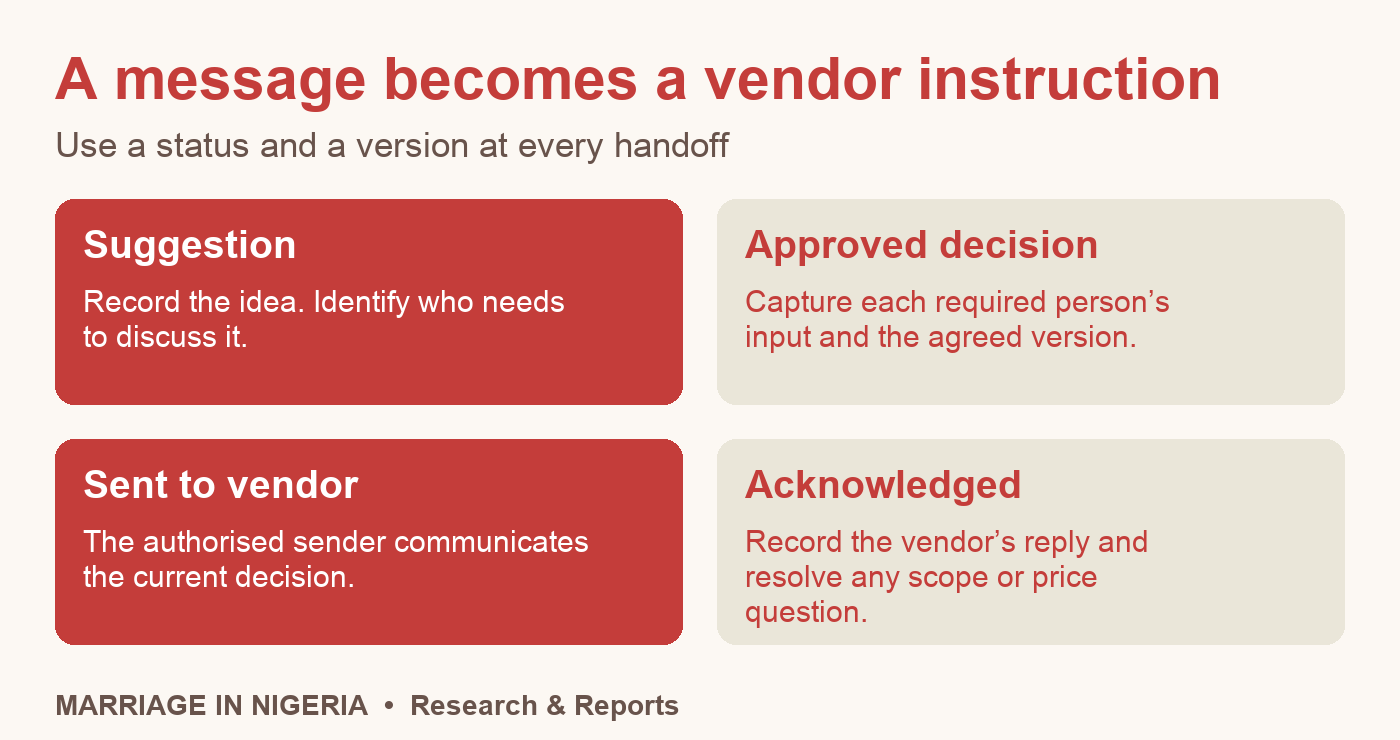
Agree which decisions need both partners
First, identify the topics you want to decide together. You might include the total budget, ceremony sequence or reception music. Next, identify the person who can communicate each approved decision. That person could be either partner or an agreed coordinator. Give them the same current record.
Keep suggestions easy to add. A relative can suggest a song, and a planner can flag a timing issue. Put those inputs under review until the people responsible have answered. Record each partner’s input in their own words, then agree the next action. If one person needs time, leave the status pending.
A fictional DJ handoff
Suppose one partner suggests replacing the first-dance track. The other wants to check how the song fits the reception sequence. Version one of the music entry stays proposed. After discussing it, both choose to keep track A and ask the DJ to confirm its edited length. Version two records that approval.
The agreed sender passes version two to the DJ. The DJ replies with the track and duration. Add the acknowledgement to the log and note any unresolved question. If the change affects the quoted service, ask the vendor to confirm that detail before marking it ready.
Change a decision without conflicting instructions
When an approved decision changes, create a new version and say which one it replaces. Tell the vendor what changed and ask them to acknowledge the latest instruction. If an earlier reply arrived late, match it to its version before treating it as confirmation.
You can use a shared spreadsheet or a short table in a document. Keep access limited to the people who need it and avoid putting private guest details into the group. Our Relationship Building resources cover broader communication questions. This tool focuses specifically on the handoff to wedding vendors.
Methods and downloads
The chart reproduces the planner’s published quartiles. The register, DJ example and handoff checklist are original resources. The example contains invented decisions and no real couple’s messages. Keep the source, period and sample beside the chart when citing the published count.